
Back to Business Automation & CRM
Demo ProjectRetail
MAILROUTE
MAILROUTE shows how a shared inbox can sort itself, so every email reaches the right team without anyone triaging it by hand.
 (opens the full-size image in a new tab)
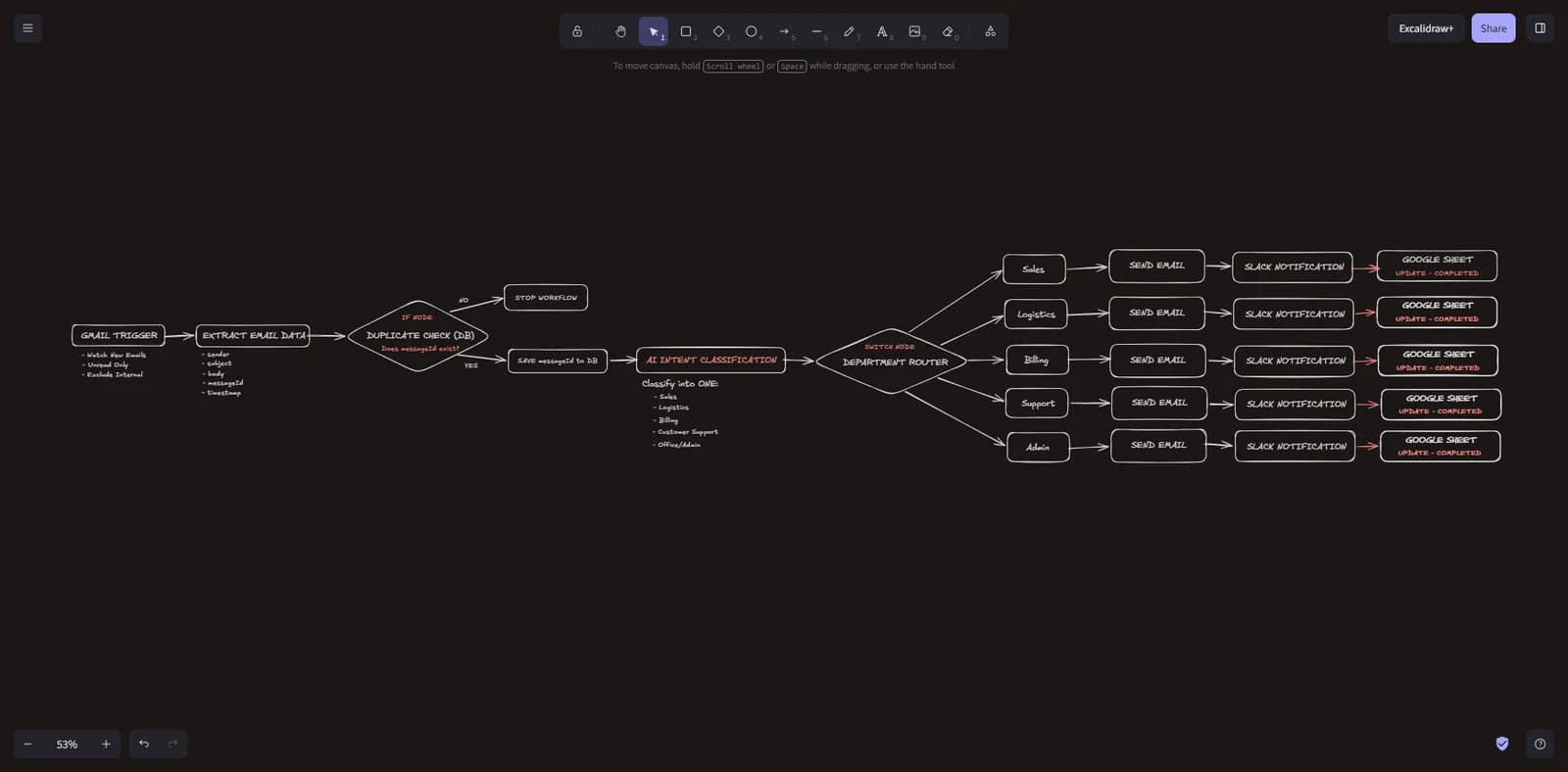
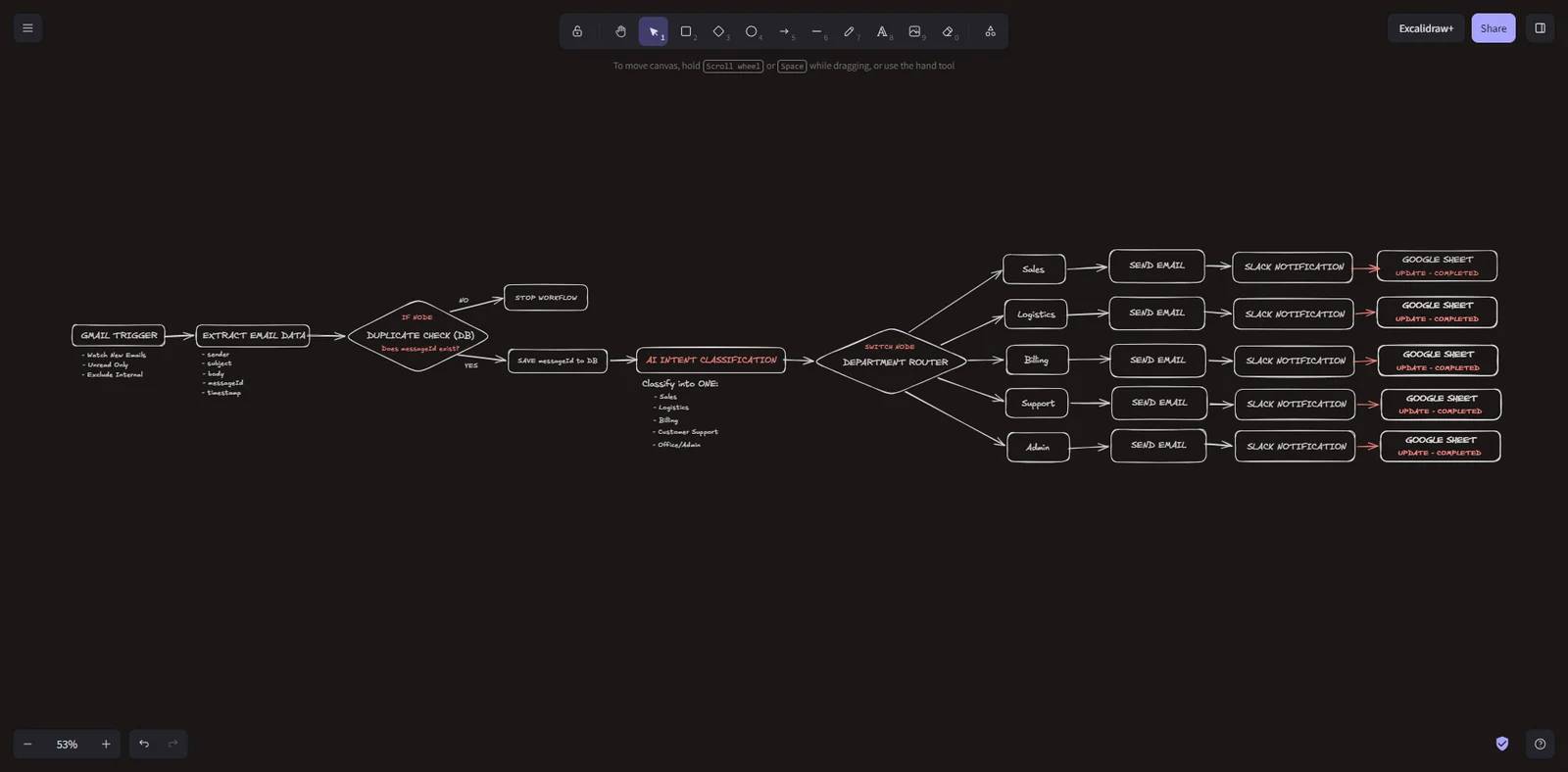
How MAILROUTE routes each email. 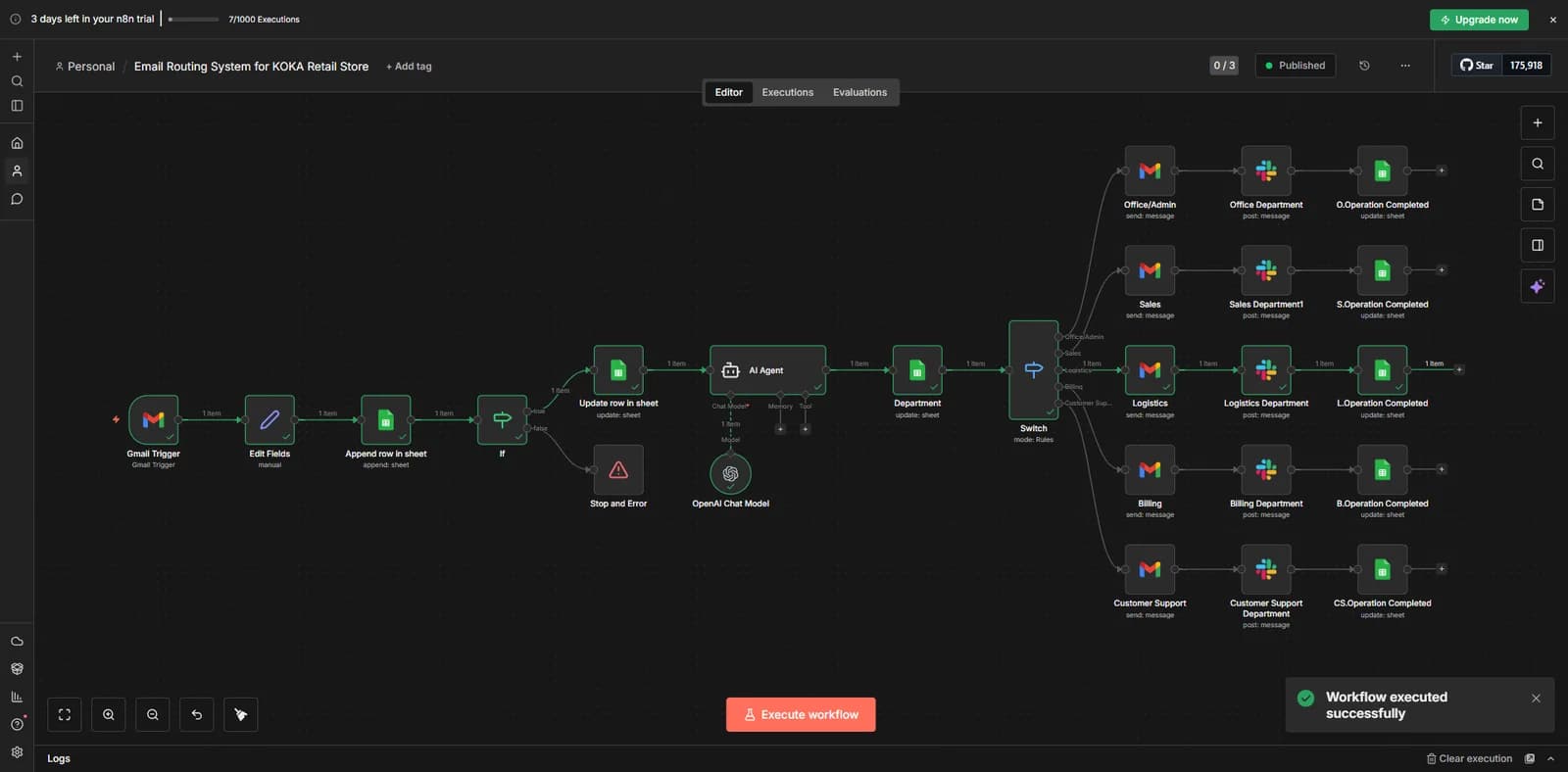 (opens the full-size image in a new tab)
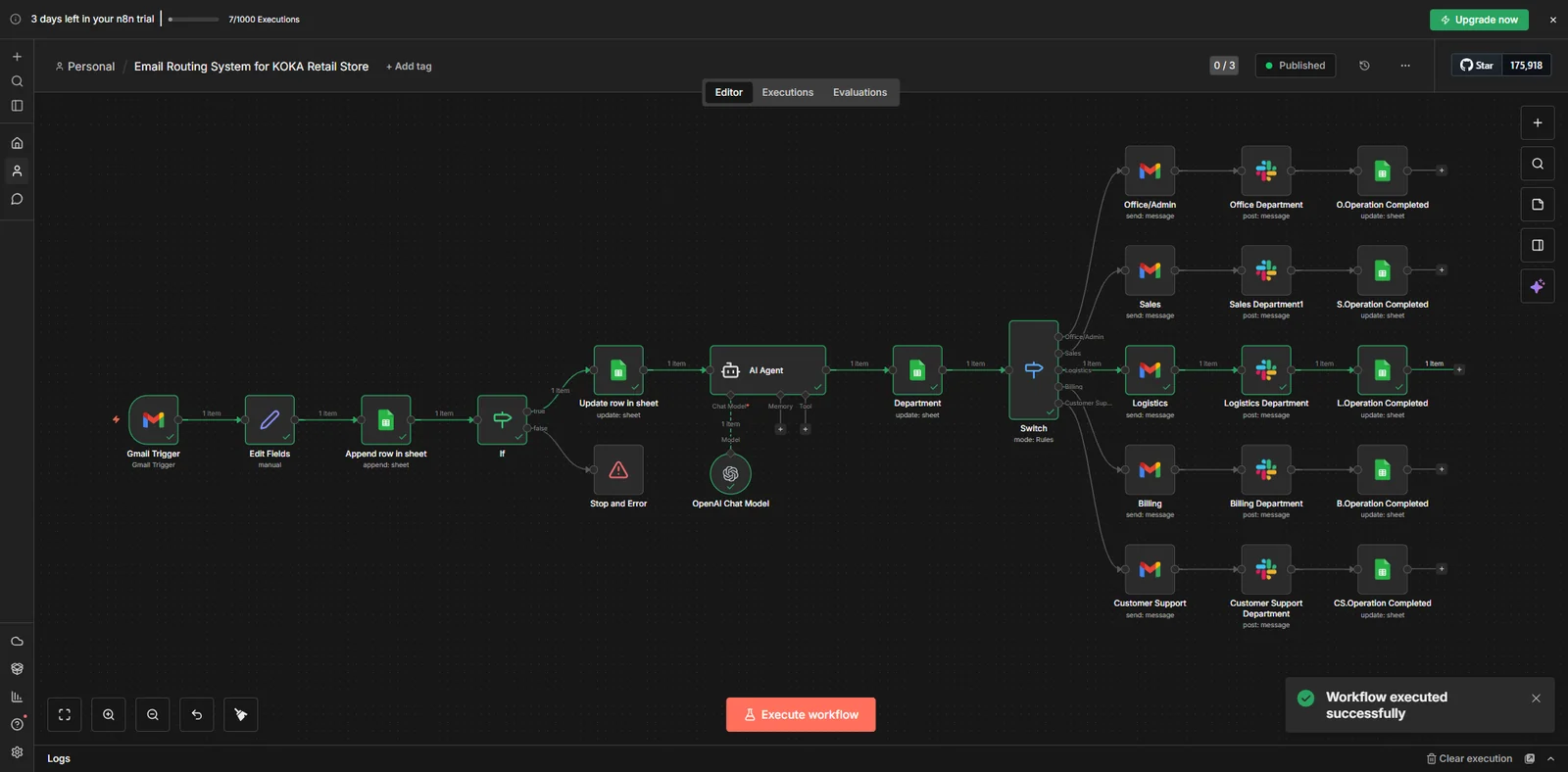
The MAILROUTE workflow in n8n. 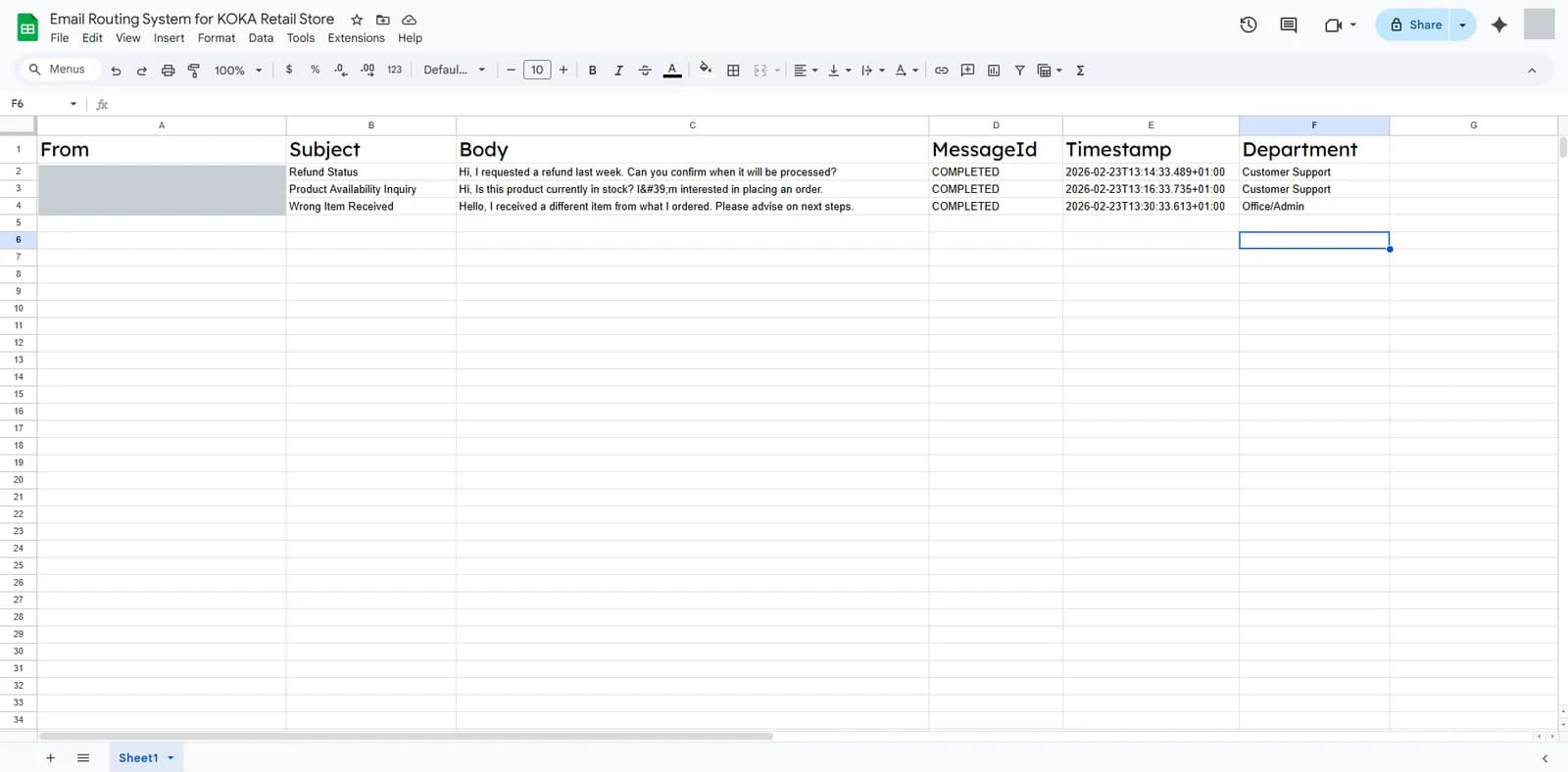 (opens the full-size image in a new tab)
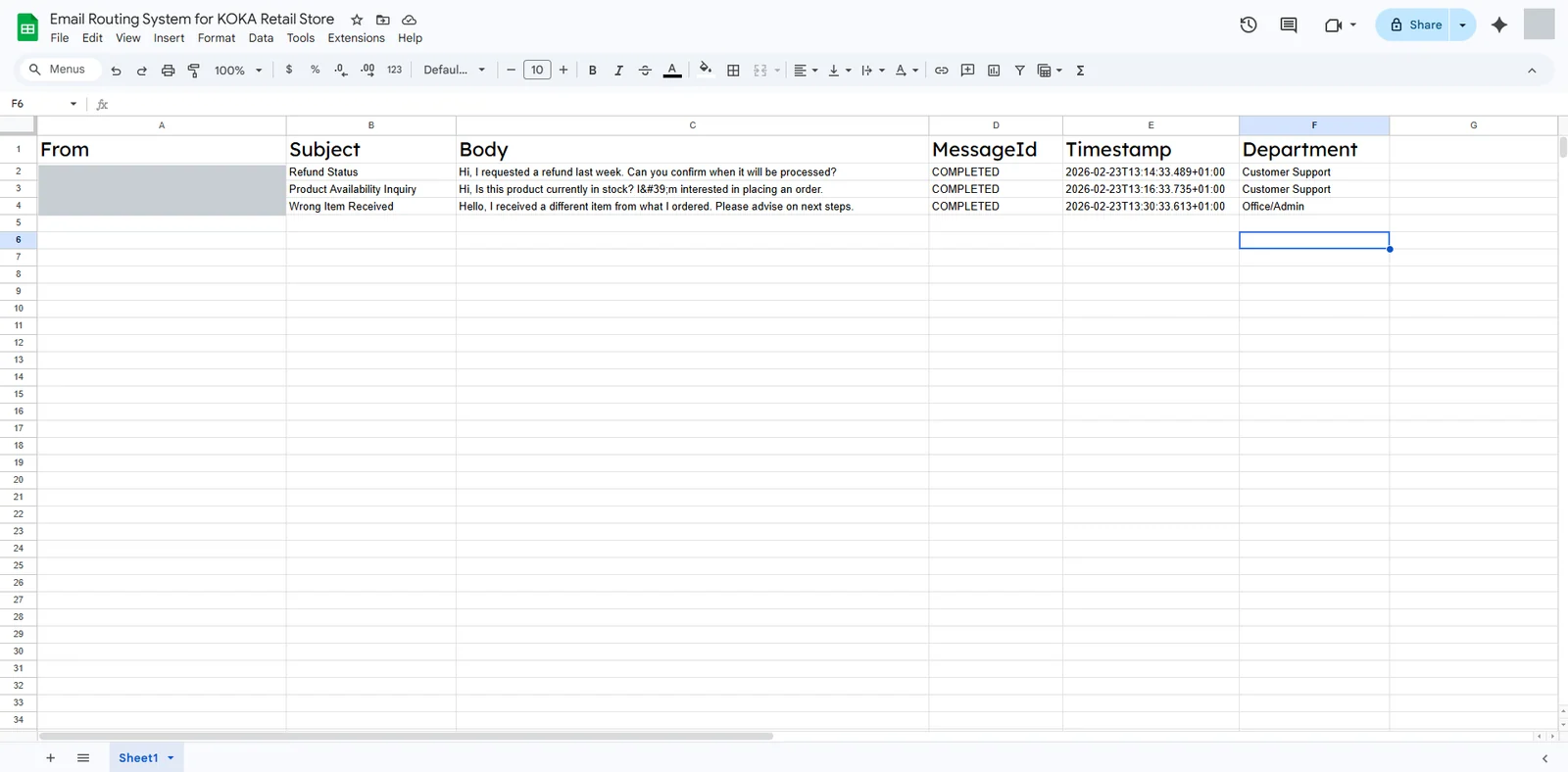
Every email is logged with its department. Sender details are hidden. 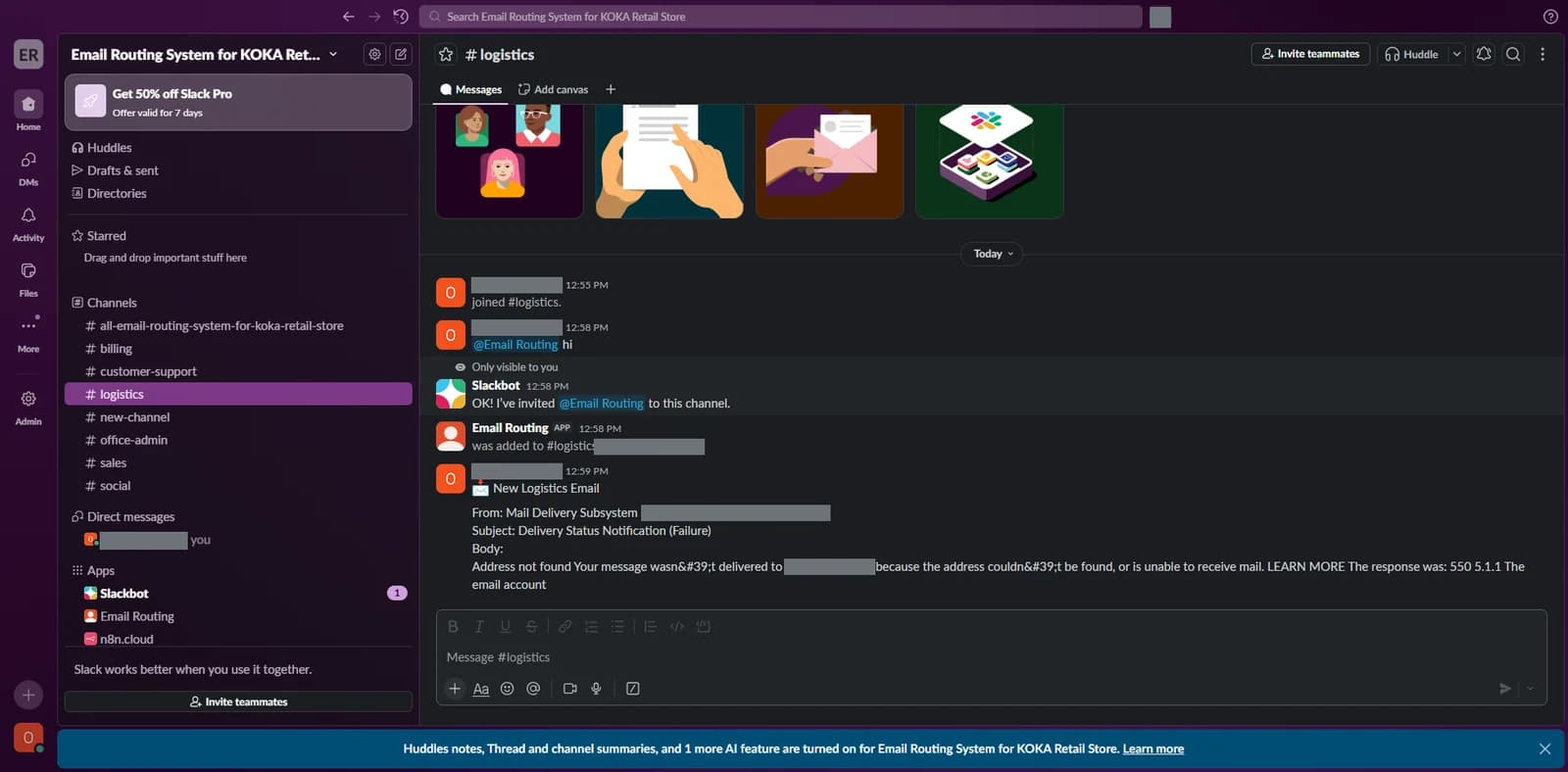 (opens the full-size image in a new tab)
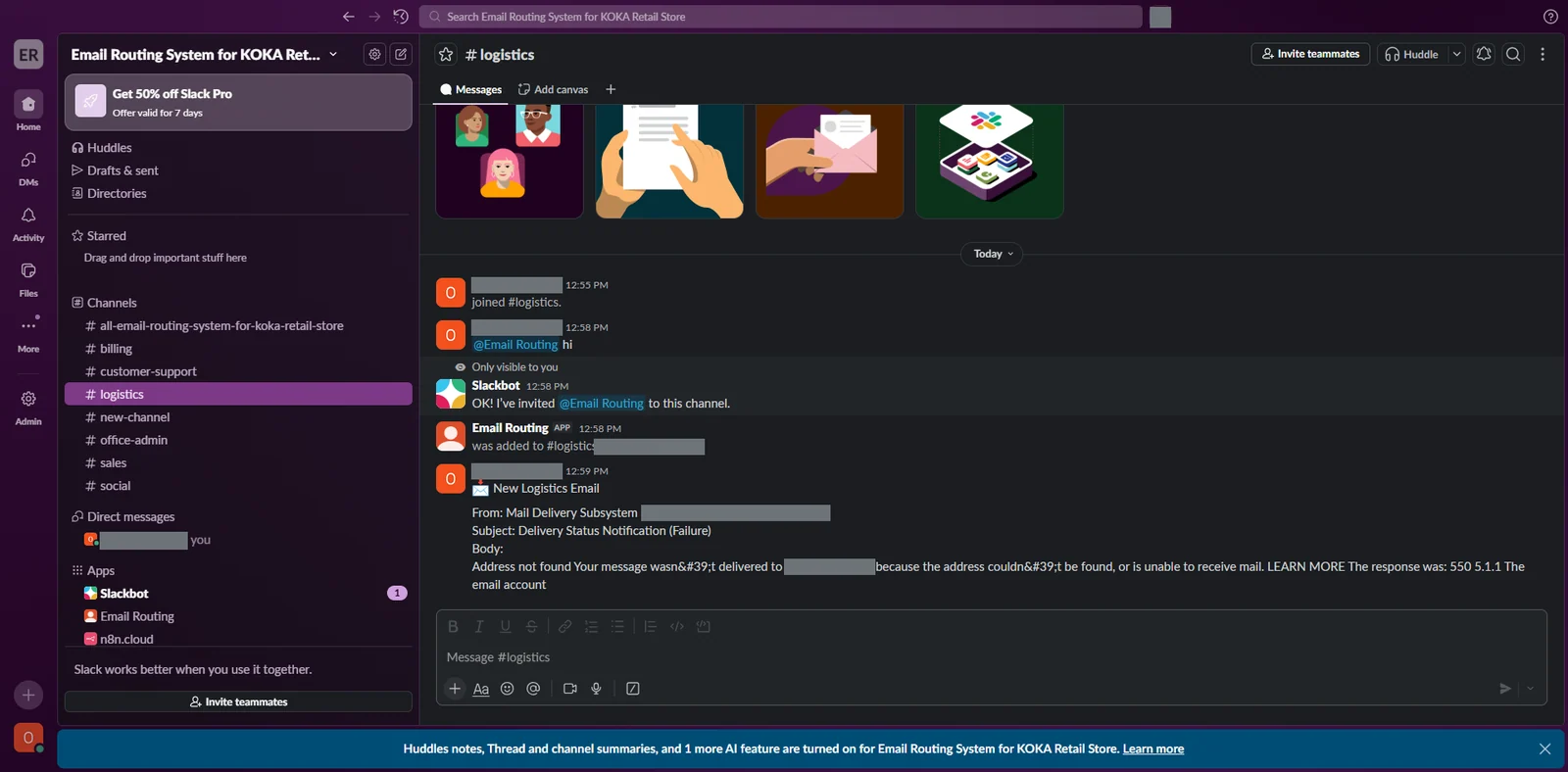
The matching team is notified in its own Slack channel. Names and addresses are hidden.
The Problem
When every email lands in one inbox, someone has to read, sort and forward each message. Refunds, orders and questions wait their turn, and some can be missed.
The Solution
MAILROUTE checks each new Gmail message, uses AI to decide which department should handle it, then alerts that team.
- Each new email is logged in a Google Sheet with the sender, subject, message and time, and duplicates are checked.
- AI sorts the email into a department: Sales, Logistics, Billing, Customer Support or Office/Admin.
- The matching team is notified in its own Slack channel, and an email is sent to that department.
- The sheet is updated so you can see which department received the message and that it was completed.